




Overview
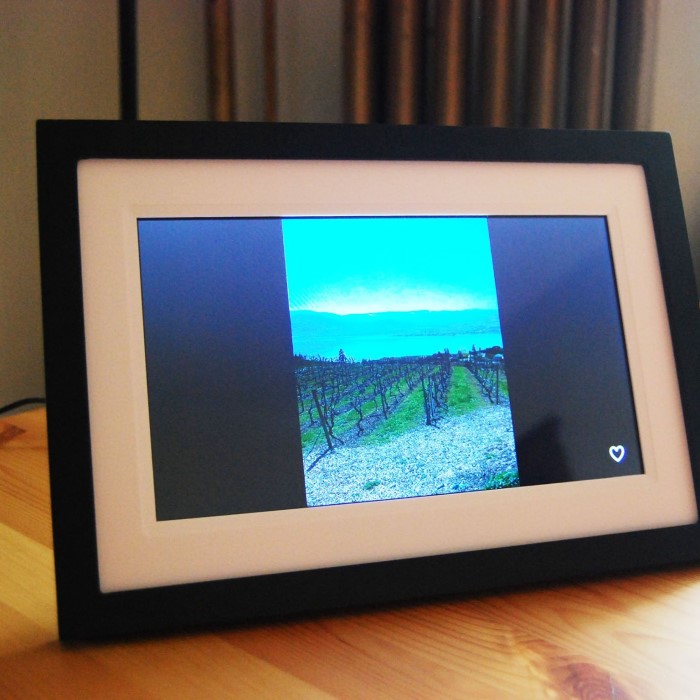
Skylight Picture Frame is innovative digital photo frames. They simplify how you display favorite memories. Designed for convenience and style, they match various home settings. These frames blend aesthetics with functionality.
What is Skylight Picture Frame?
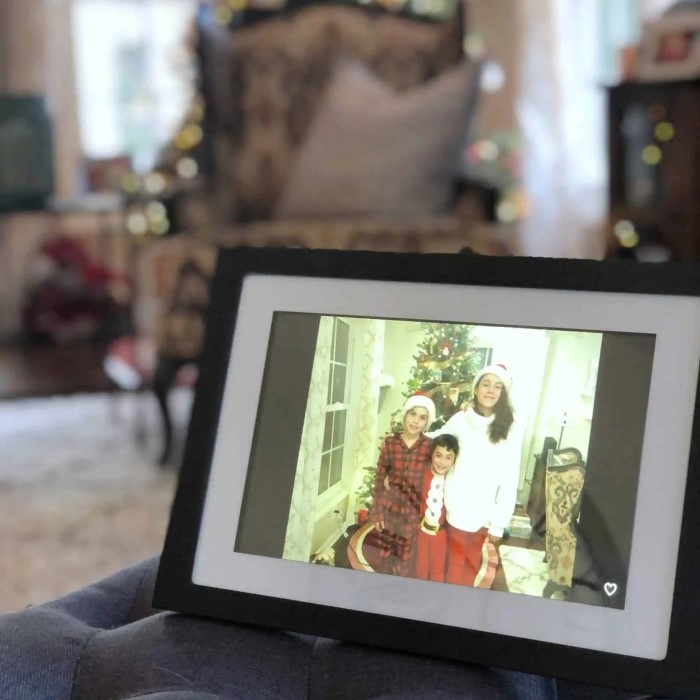
The Skylight Picture Frame is a digital frame. It allows users to display photos without printing. With an easy setup process, uploading pictures is quick and hassle-free. Family and friends can send images directly to your frame via email, enhancing connectivity. Its touchscreen technology makes it user-friendly, offering intuitive navigation.
Skylight Picture Frames come in sleek and modern designs. They are perfect for households seeking practical and attractive home decor. These frames are ideal for preserving memories in a hassle-free way.
Key Benefits of Skylight Picture Frame
- Simple Setup: Plug it in, connect to Wi-Fi, and start displaying your photos.
- Photo Sharing: Easily receive photos via a personalized email address assigned to your frame.
- Touchscreen Experience: Navigate, upload, and view photos effortlessly with the responsive display.
- Stylish Design: The modern aesthetic suits different types of home decor.
- Connectivity: Stay connected with loved ones through real-time photo sharing.
- No Subscription Needed: Free updates and no additional charges for basic features.
- Space-Saving: Compact design fits in almost any space without cluttering.
The Skylight Picture Frame combines innovative technology and thoughtful details. It’s easy to use and brings people closer through memories. Perfect for gifts or personal use, Skylight emphasizes simplicity and connections.

Design and Aesthetics
The Skylight Picture Frame is designed to complement your home decor. It combines modern elegance with functionality, offering users both style and practicality.
Physical Features and Dimensions
Skylight Picture Frames boast a sleek and compact design. Their lightweight build makes them easy to place anywhere in your home. These frames feature a glossy finish and clean edges, ensuring a contemporary look that fits various interior styles.
The frame comes in an ideal size, neither too bulky nor too small. This ensures it doesn’t overwhelm your space while displaying photos attractively. Specific dimensions cater to varied preferences and room layouts, making placement versatile and hassle-free.
Options for Customization
Skylight Picture Frames offer customization choices to suit personal taste. You can select from different border colors to match your home decor. The frame also allows customizable settings, letting you adjust photo duration and display modes.
Additionally, personalized digital photo feeds can be set up. Photos sent by family and friends reflect individuality and create a unique slideshow experience. These customization features ensure the frame adapts to your needs and enhances your living space beautifully.
Technology Behind Skylight Picture Frame
The Skylight Picture Frame merges innovative technology with user-friendly functionalities. It effortlessly allows users to view and share photos at home.
How Does Skylight Picture Frame Work?
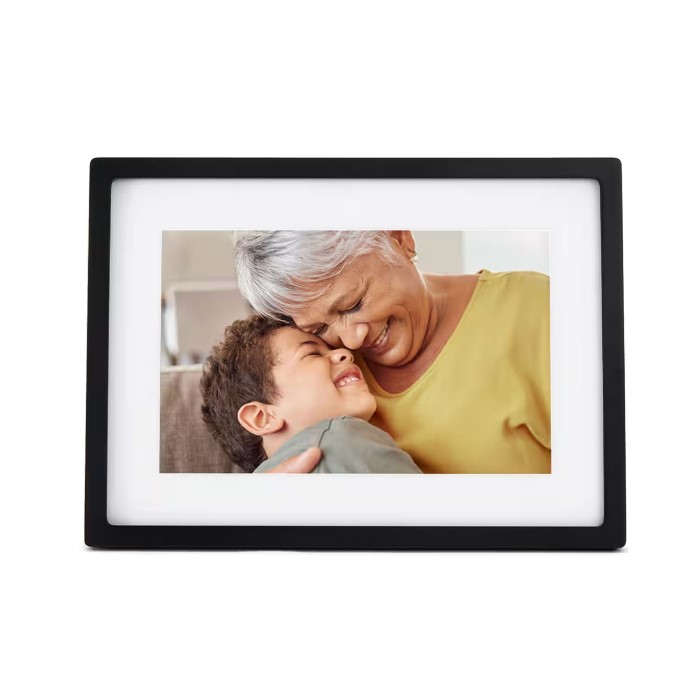
The Skylight Picture Frame employs a simple setup process. Start by plugging it in and connecting to Wi-Fi. Once connected, it assigns a unique email address to your frame. This address allows users to send photos directly to the device.
Uploading photos doesn’t require technical skills. Just send an email with photos attached to the designated address. The frame updates with the new images in a matter of minutes. Its intuitive touchscreen makes navigating through the menu and organizing photos easy.
Once uploaded, the images are stored locally on the frame. This ensures quick access even without an internet connection. The system also arranges photos into slideshows, creating an engaging way to view memories. Its unique design allows a smooth and seamless display experience.
Connectivity and Compatibility
The Skylight Picture Frame connects easily to Wi-Fi. This is crucial for receiving photos and software updates. Updates ensure improved features and enhanced functionality over time.
It’s also compatible with multiple devices and platforms. Family members can use smartphones, tablets, or computers to send photos. The frame supports common image formats like JPEG and PNG, ensuring flexibility.
Additionally, the Skylight Picture Frame is designed to minimize interruptions. Thanks to its efficient system, it works with different internet speeds. This means fast uploads and fewer display delays. Skipping the need for extra subscriptions adds further convenience for users.
With its reliable connectivity and universal compatibility, Skylight Picture Frames are perfect for tech-savvy and non-tech-savvy users alike.
Photo Display Features
The Skylight Picture Frame offers excellent photo display features, making it perfect for showcasing memories. It ensures photos are presented attractively and effortlessly, enhancing the viewing experience at home.
Organizing Photos on Skylight Picture Frame
Keeping photos organized on the Skylight Picture Frame is simple and user-friendly. Uploaded pictures are stored securely on the frame’s internal memory. You can categorize and arrange photos in your preferred order using the touchscreen interface.
Users can delete unwanted photos directly from the frame. This feature ensures a clutter-free display. Additionally, the frame features intuitive navigation options, allowing you to quickly locate and manage specific photos.
Photo uploads are efficient and hassle-free via the personalized email address. Friends and family can send pictures directly to the frame. It supports common file formats such as JPEG and PNG, ensuring compatibility with a variety of images. You can also decide which photos to display and hide, giving complete control over the curated experience.
Slideshow and Display Modes
The Skylight Picture Frame provides customizable slideshow options to showcase your photos. Users can choose different slideshow speeds, ensuring each photo is displayed for the optimal amount of time. You can set your frame to cycle through photos automatically, bringing your memories to life.
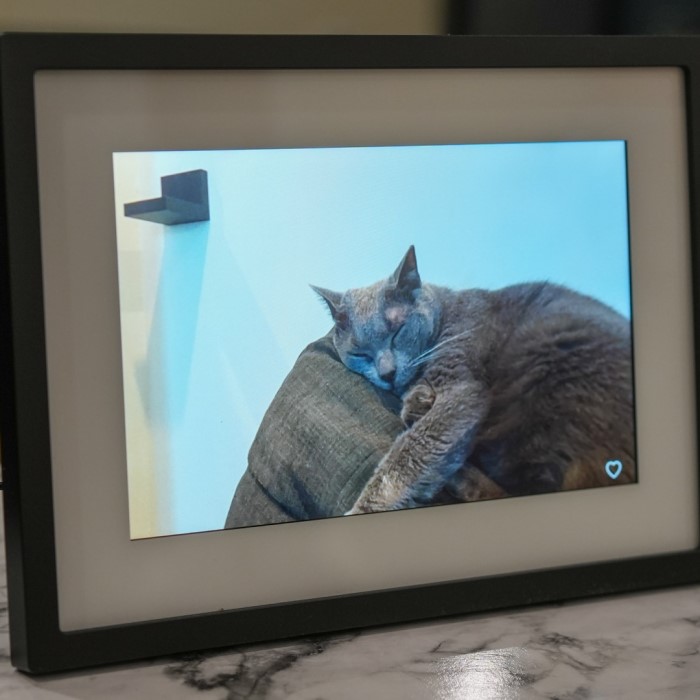
The device supports both landscape and portrait orientations. It automatically adjusts the display for the best possible view, maximizing photo quality. The high-resolution screen ensures that each image is vibrant and clear.
You can also experiment with display modes, such as sequential or random order. These features allow you to personalize how photos are shown according to your liking. The Skylight Picture Frame’s photo display features combine convenience and customization to preserve and enhance cherished memories.
User Interface and Usability
The Skylight Picture Frame is designed with an intuitive interface, making it simple to use. Its user-friendly features allow both tech-savvy and non-tech-savvy individuals to easily navigate the device. The touchscreen functionality ensures that managing, uploading, and viewing photos is straightforward and efficient.
How to Set Up Skylight Picture Frame
Setting up your Skylight Picture Frame is quick and hassle-free. Just follow these simple steps:
- Unbox and Plug In: Begin by unboxing your frame. Plug it into a power outlet using the provided adapter.
- Connect to Wi-Fi: Use the touchscreen to access the settings menu. Select your Wi-Fi network and enter the password. This step connects your device to the internet for photo sharing and updates.
- Activate Your Frame: After connecting to Wi-Fi, the frame prompts you to activate it. Follow the instructions to set up your personalized email address. This email address is key for sending photos directly to the frame.
- Send Photos: Use the assigned email address to upload your first set of photos. Family and friends can also send pictures remotely using this email.
- Customize Settings: Adjust slideshow speed, brightness, and other settings through the intuitive menu. You can create a personalized display experience tailored to your preferences.
Ease of Operation and Controls
The Skylight Picture Frame’s touchscreen interface makes it easy to operate. Its navigation menu is straightforward and visually appealing, guiding users through various functions without confusion.
- Simple Navigation: Swipe, tap, or scroll through menus to explore features and view photos. The responsive screen ensures smooth operation.
- Hassle-Free Photo Management: Delete, hide, or rearrange photos with just a few taps. This keeps your display organized and personalized.
- Brightness and Slideshow Control: Adjust the brightness to suit your room’s lighting. Customize slideshow settings like duration and transition styles with the easy-to-use options.
- Automatic Orientation: The frame adapts to landscape or portrait mode for optimal viewing.
- Efficient Setup Monitoring: Real-time notifications let you know when new photos are uploaded. This feature keeps you updated without needing constant manual checks.
The combination of a simple setup process and user-friendly operation ensures the Skylight Picture Frame fits seamlessly into daily life. It offers an effortless way to cherish and share precious memories.
Additional Features and Functions
Skylight Picture Frames offer unique features to enhance your photo-sharing experience. These features add convenience and improve user interaction, making Skylight Frames highly versatile and user-friendly.
Sharing Photos Remotely
One standout feature of the Skylight Picture Frame is remote photo sharing. This feature allows users to send images to the frame from anywhere. Each frame is assigned a unique email address for users to upload photos directly. Family and friends can contribute as well, fostering stronger connections.
To share photos, simply attach images to an email and send them to the frame’s address. Within minutes, the uploaded images appear on the frame, ready for display. This feature makes it easy to share memories, even from afar.
You can update the photos frequently without needing to be physically present near the frame. This remote photo-sharing option is perfect for keeping loved ones updated on special events or everyday moments. The convenience and simplicity of this function make it an exceptional addition to modern photo frames.
Skylight Mobile App Integration
Skylight enhances usability further with its mobile app integration. The Skylight app provides a seamless way to manage your frame on the go. It works with Android and iOS devices, offering flexibility for all users.
The app lets you upload photos directly from your phone. You can organize your photos, delete unwanted ones, or modify slideshow settings. This ensures your frame always displays your favorite memories in the way you prefer.
Notifications from the app keep you informed when new photos arrive on your frame. This helps you stay updated without needing to go near the frame physically. You can also remotely adjust display settings through the app. Modify brightness levels or slideshow speeds conveniently with just a few taps.
The Skylight mobile app ensures your digital frame remains easy to use, even when you’re away. By combining email uploads and app integration, Skylight revolutionizes how users interact with digital photo frames, making memory preservation effortless and enjoyable.
Comparing Skylight to Other Digital Frames
Skylight Picture Frames stand out in the competitive world of digital photo frames. They combine design, technology, and user-friendly features to deliver an enhanced experience for users.
Key Differences and Advantages
- Easy Photo Sharing: Skylight offers seamless photo sharing via email. This feature simplifies uploading pictures.
- User-Friendly Interface: With its responsive touchscreen, navigating is straightforward. Users can manage photos effortlessly.
- Modern Design: Skylight Frames feature sleek aesthetics that fit well with contemporary home decor styles.
- No Subscription Fees: Unlike some digital frames, Skylight provides free updates without hidden charges.
- Mobile App Integration: The Skylight app lets you share, organize, and customize settings directly from your phone.
- Compact and Stylish: Skylight Frames complement smaller spaces without sacrificing photo display quality.
Other frames may offer similar features like Wi-Fi connectivity and touchscreen display. However, Skylight prioritizes simplicity and affordability. Users enjoy a smooth experience without overwhelming settings or complicated procedures.
Why Choose Skylight Picture Frame?
Skylight Picture Frames effortlessly bring loved ones closer. The remote photo sharing option fosters connections anytime and anywhere.
- Convenience: Skylight is easy to set up, requiring just a few steps. Uploading photos is quick.
- Compatibility: It supports common image formats and works with various devices, including smartphones.
- Personalization: Skylight offers custom photo arrangements, slideshow settings, and border options to fit preferences.
- Dependability: Skylight’s efficient connectivity ensures minimal interruptions and smooth operation.
- Perfect Gifts: Skylight Frames make thoughtful gifts for friends and family. They are ideal for capturing memories.
In sum, Skylight Picture Frames deliver advanced features in a simple, attractive package. Their focus on usability and connection makes them a top choice among digital photo frames.
Maintenance and Longevity
Proper maintenance is essential to ensure the longevity of your Skylight Picture Frame. By following simple steps, you can keep your device functioning smoothly and displaying your cherished photos in the best quality for years to come.
Caring for Your Skylight Picture Frame
- Clean Regularly: Use a soft, lint-free cloth to clean the screen. Avoid abrasive cleaners or rough materials.
- Avoid Direct Sunlight: Place the frame away from direct sunlight to prevent screen discoloration or overheating.
- Keep Away from Moisture: Avoid placing the frame near water sources like sinks or bathrooms to prevent damage.
- Check Wi-Fi Connection: Periodically check the Wi-Fi connection to ensure seamless photo updates.
- Update Software: Keep the firmware updated to access the latest features and security enhancements.
- Handle with Care: Always handle the frame gently to avoid cracking the screen or damaging the components.
- Ensure Proper Ventilation: Avoid placing the frame in confined spaces to prevent overheating.
By adopting these practices, you can maintain your frame in optimal condition for an extended time.
FAQs and Troubleshooting Tips
- Why isn’t my Skylight Picture Frame turning on?
- Confirm it’s plugged in properly. Check if the power outlet is functional.
- What should I do if the touchscreen isn’t responding?
- Restart the device. Ensure there’s no debris or dust on the screen.
- How do I reconnect to Wi-Fi?
- Access the settings using the touchscreen. Select your network and enter the password again.
- My photos aren’t uploading to the frame. What’s wrong?
- Ensure the frame is connected to Wi-Fi. Verify the email address is correct.
- How do I reset the frame to factory settings?
- Access the settings menu. Select “Factory Reset” to return the frame to its original settings.
- Can I transfer photos from the frame to another device?
- Skylight Frames store photos locally. Use the connected email to resend images if needed.
Regular care and troubleshooting will improve your skylight picture frame’s performance. Follow these tips for a problem-free experience and to keep your precious memories safe.
Conclusion
In conclusion, understanding the features of skylight picture frames and incorporating them into your interior design can elevate your home decor significantly. From their ability to enhance natural light to their versatile designs, skylight frames offer countless possibilities for personalization.
By following the styling tips provided in this article, you can create visually compelling displays that showcase your favorite artwork and photographs effectively. Remember to regularly maintain your frames to ensure they remain a highlight in your decor for years to come. Embrace the beauty of skylight picture frame, and transform your living space into a welcoming and inspiring environment.